
Download DeepL – Accurate AI‑Powered Translation Software
Why DeepL Stands Out in the Crowded Translation Market
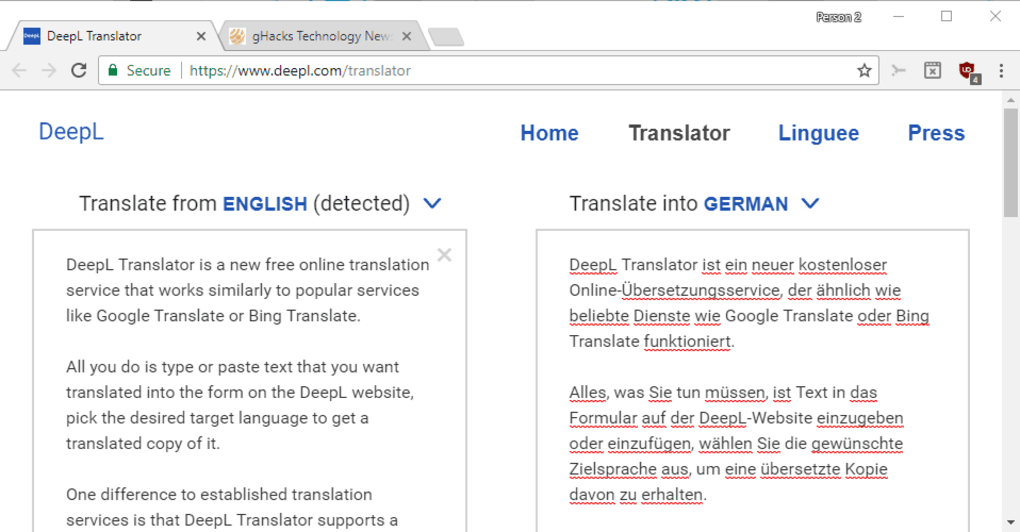
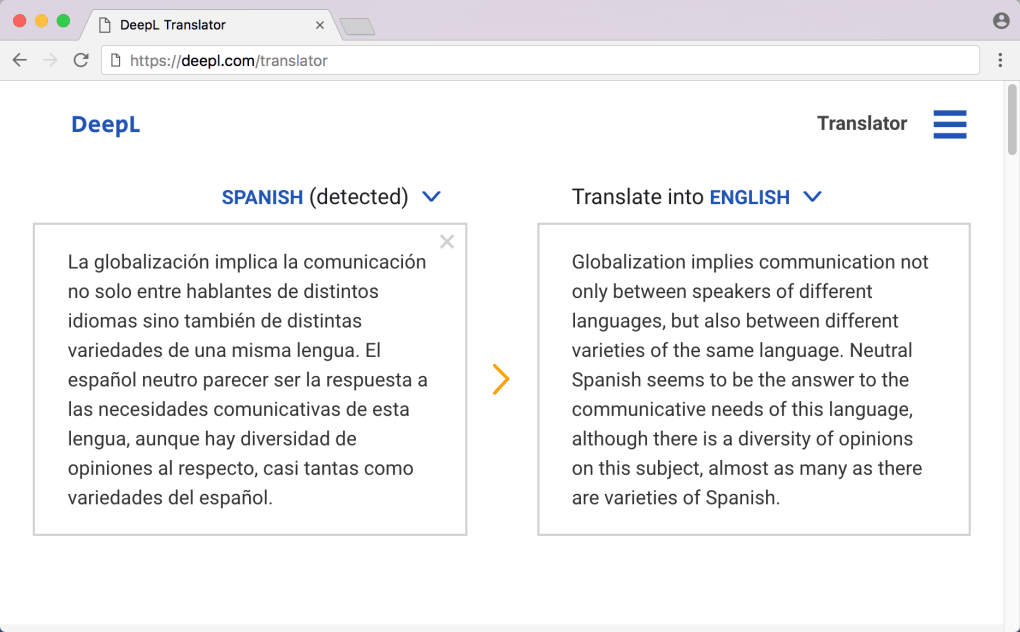
DeepL is a German‑originated language translation service that leverages advanced neural‑network technology to deliver translations that feel natural and context‑aware. While many free translators rely on rule‑based algorithms that often miss subtle nuances, DeepL’s artificial‑intelligence backbone is trained on millions of high‑quality, human‑edited sentence pairs. This training enables the platform to disambiguate words with multiple meanings, respect idiomatic expressions, and preserve the tone of the original text.
Although the language roster is currently limited to nine major languages, the depth of each translation surpasses the breadth offered by giants such as Google Translate or Microsoft’s Bing Translator. DeepL is ideal for professionals, students, and anyone who values precision over sheer quantity of language options. Whether you need to translate a business contract, a technical manual, or a creative piece of writing, DeepL’s combination of speed, security, and linguistic finesse makes it a compelling alternative for daily and enterprise‑level translation tasks.
Key Features That Make DeepL a Translation Powerhouse
- Neural‑Network Engine: Deep learning models analyze entire sentences, not just individual words, to capture context and deliver fluid translations.
- Secure Cloud Processing: All data is encrypted in transit and at rest, ensuring your confidential documents remain private.
- Document Translation: Upload whole files (DOCX, PPTX, PDF) and receive a fully formatted output in the target language.
- Glossary Customization: Create personal term banks so industry‑specific jargon stays consistent across translations.
- API Access: Developers can integrate DeepL’s translation engine into websites, apps, and workflow tools via a robust REST API.
- Cross‑Platform Availability: Native apps for Windows, macOS, Android, and iOS, plus a responsive web interface.
- Auto‑Detect Language: The system intelligently identifies the source language, eliminating the need for manual selection.
- Real‑Time Suggestions: As you type, DeepL offers on‑the‑fly translations, perfect for chat or quick notes.
- Free Tier & Paid Plans: Users can start with a generous free tier; premium subscriptions unlock higher character limits and priority processing.
These features collectively address the most common pain points found in conventional translators: inaccurate context handling, security concerns, and limited integration options. By focusing on quality rather than sheer quantity of languages, DeepL ensures each translation feels as if a native speaker crafted it.
Installation, Setup, and Compatibility Across Devices
Getting DeepL up and running is straightforward, whether you prefer a desktop client, a mobile app, or the web version. Follow these steps to start translating in minutes:
- Choose Your Platform: Visit deepl.com and click the download button for Windows, macOS, Android, or iOS. The web app works in any modern browser without installation.
- Download and Install: For Windows, run the
.exeinstaller; macOS users open the.dmgfile and drag the DeepL icon to the Applications folder. Mobile users install the app from the Google Play Store or Apple App Store. - Create an Account: Launch the app, select “Sign Up,” and provide an email address. Verification is instant, after which you can start using the free tier.
- Configure Preferences: In Settings, set your default target language, enable auto‑detect, and upload any custom glossaries you’ve prepared.
- Start Translating: Type or paste text into the input window, or drag a document file onto the interface. The translated result appears instantly, ready for copy‑paste or download.
Supported Operating Systems: DeepL runs on Windows 10/11, macOS 10.14 and later, Android 7.0 and later, and iOS 13 and later. The web version supports Chrome, Edge, Firefox, and Safari, ensuring you can access high‑quality translations from virtually any device.
For power users, the API keys are available in the account dashboard. Once obtained, integrate the endpoint into your development environment using standard HTTP requests. Documentation provides code snippets in Python, JavaScript, and Java, making the integration process painless.
Pros, Cons, Frequently Asked Questions, and Final Thoughts
Pros & Cons
- Pros:
- Highly accurate, context‑aware translations.
- Secure handling of sensitive documents.
- Document‑level translation preserves formatting.
- Custom glossary for industry terminology.
- Fast processing with optional priority queue for premium users.
- Cons:
- Limited to nine languages compared with competitors offering 100+.
- Free tier imposes a character limit per month.
- Advanced API usage requires a paid subscription.
Frequently Asked Questions
Is DeepL free to use?
Yes, DeepL offers a free tier that allows up to 500 000 characters per month. For heavier usage, paid plans start at €5.99 per month.
Which languages are supported?
DeepL currently supports English, German, French, Spanish, Portuguese, Italian, Dutch, Polish, and Russian.
Can I translate whole documents?
Absolutely. The desktop and web apps accept DOCX, PPTX, and PDF files, returning a fully formatted translated version.
How does DeepL ensure data privacy?
All transmissions use TLS 1.3 encryption, and the service does not store your text after processing unless you enable the “Save history” feature.
Is there an API for developers?
Yes, DeepL provides a RESTful API with detailed documentation, supporting up to 100 000 characters per request for paid accounts.
Conclusion & Call to Action
DeepL has carved a niche by prioritizing translation quality over sheer language quantity. Its neural‑network engine delivers results that often feel indistinguishable from a professional human translator, especially for the supported languages. While the limited language list may be a drawback for globetrotters needing obscure tongues, anyone whose workflow revolves around the nine major European languages will find DeepL’s precision, security, and feature set unparalleled.
Ready to experience translation that truly respects context? Download DeepL today, start with the free tier, and upgrade whenever you need higher limits or priority processing. Transform your multilingual communication with a tool built on cutting‑edge AI—your words deserve nothing less.







